There was not a lot of updates for Agentforce Nonprofits in this release, here is a breakdown:
Agentforce Nonprofit (Formerly Nonprofit Cloud)
Simplify Program and Case Management Feature Setup
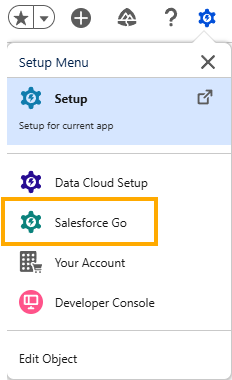
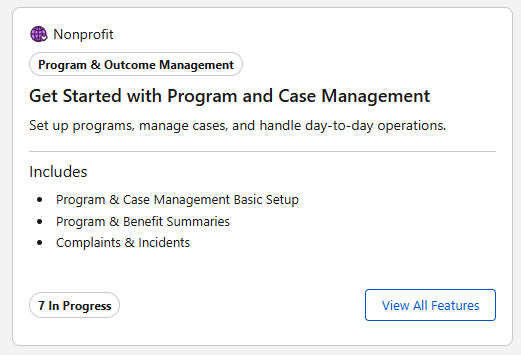
Configure Program Management, Case Management, and Outcome Management features with detailed, step-by-step guidance in Salesforce Go. Complete the entire setup process from a single page without navigating away. You can also track feature usage and access content resources to get started quickly.

Manage More Complex Business Processes with Action Plans
Action Plans now handle bigger workloads without the limits you used to hit. Run reports on the Owner and Target fields of action plan records, so you can accurately track performance and ownership across action plans.
Action plan records now support up to 200 tasks, up from 100. On dependent tasks, you can now change the Assigned To field before you mark the parent task complete, giving you more flexibility to plan resourcing upfront.
Create Households for Person Accounts During Gift Entry
Add donors to households directly from the Gift Entry Grid or the Business Process API without building separate automation.
Gift officers can reduce manual steps and keep donor data organized by creating households during gift entry.
Donor records stay complete from the point of entry, immediately closing reporting gaps.
How: In the Gift Entry Grid, select Auto Create Household when adding a person account as a donor.
If the donor doesn’t already belong to a household, Salesforce creates one and adds the donor to it during the gift entry process.
Automatically Generate and Maintain Household Names
Keep household account names accurate and professional as family dynamics change.
Define formula-based naming patterns to automatically recalculate household names whenever you add, remove, or update members.
The naming engine listens for changes to household membership and member details and then recalculates names in real time.
Why: Without automation, staff manually name every household account and update those names whenever family compositions change through marriage, divorce, or other life events. Household names become outdated or inaccurate, leading to unprofessional communications and a cycle of manual data cleanup. With Automatic Household Naming, your Salesforce admin defines naming rules once, and Household Naming handles ongoing maintenance.
How: From Setup, enter Household, and under Group Membership, select Household Naming Settings. Turn on Automatic Household Naming and create a household naming template.
New Objects for Fundraising
Define the automation that controls household naming and greetings
Use the new HouseholdNamingConfig object.
Changed Objects for Fundraising
Exclude a person account from automatic household naming and greetings
Use the new IsExclFrHshldAutoNaming field on the existing AccountContactRelation object.
Set the order of household members in household naming
Use the new HouseholdAutoNamingSequence field on the existing AccountContactRelation object.
Exclude a household account from automatic naming and greeting updates
Use the new IsExclFrHshldAutoNaming field on the existing PartyRelationshipGroup object.
Create a household automatically for a donor without an existing household
Use the new IsAutoCreateHousehold field on the existing GiftEntry object.
Identify the origin of a gift soft credit, such as a household relationship
Use the new SoftCreditSource field on the existing GiftSoftCredit object.
Track the total value of hard credits and soft credits for household members
Use the new TotalHouseholdCreditsAmount field on the existing DonorGiftSummary object.
Exclude household accounts from soft credit creation with a boolean formula
Use the new HshldSoftCreditExclFormula field on the existing FundraisingConfig object.
Sync a custom account field with the primary household account lookup
Use the new PrimaryHouseholdField field on the existing HouseholdUiConfiguration object.
Standardize and Secure Grant Application Evaluation Stages
Bring consistency and control to grant evaluation workflows.
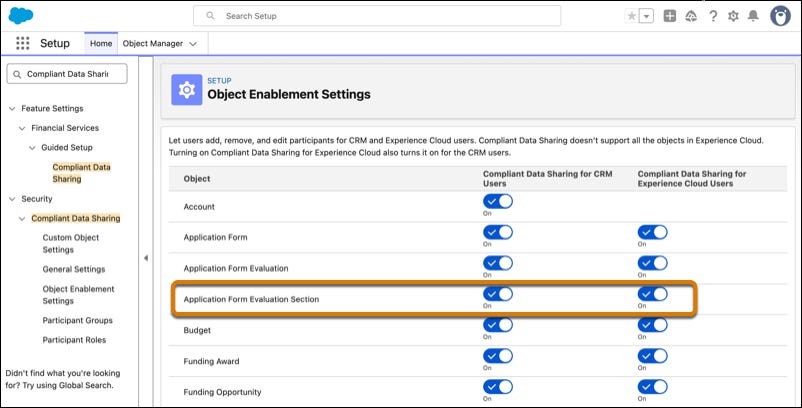
Create reusable Action Plan Templates to standardize multi-stage reviews, and enable Compliant Data Sharing to restrict reviewers to only the sections relevant to their expertise.
Previously, application evaluations required manual reviews at every grant cycle, creating fragmented review experience that introduced delays and the risk of reviewer bias.
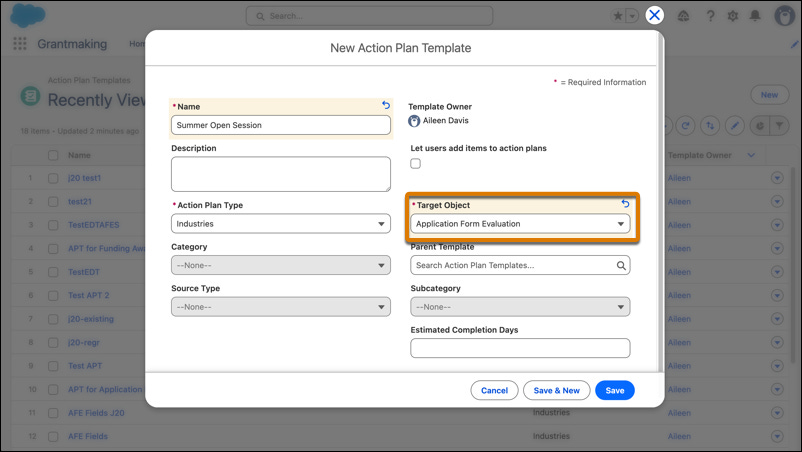
How: To create an Action Plan Template for evaluations, from the App Launcher, find and select Action Plan Templates. Click New, select Application Form Evaluation as the target object, and then add evaluation sections as template items after you save the template.
To enable granular section visibility, from Setup, in the Quick Find box, enter Compliant Data Sharing, and then enable it for the Application Form Evaluation Section entity.
Updated Objects and Fields in Grantmaking
Identify users who have access to an application form evaluation section
Use the new AppFormEvalSectionPtcp object.
Some General Features that would be helpful for Nonprofits
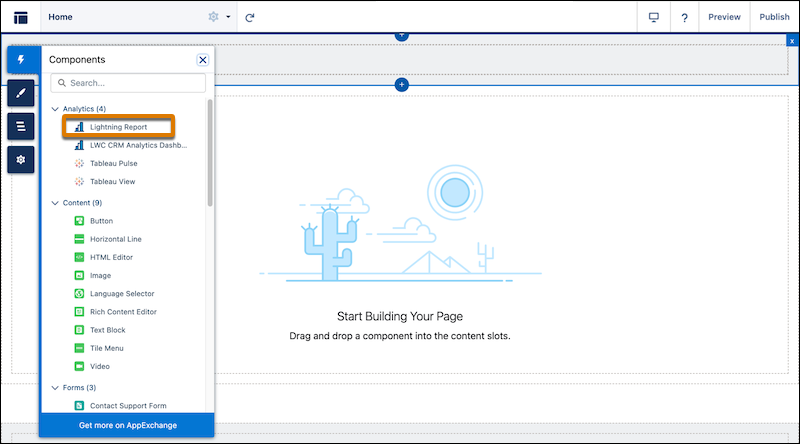
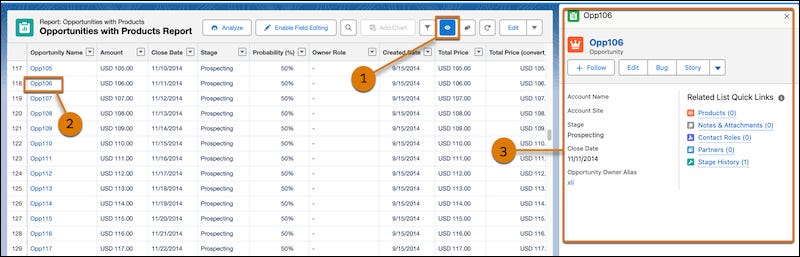
Preview Records from Lightning Reports Without Losing Context (Beta)
You can view Donor or Donation details without having to leave the Report.
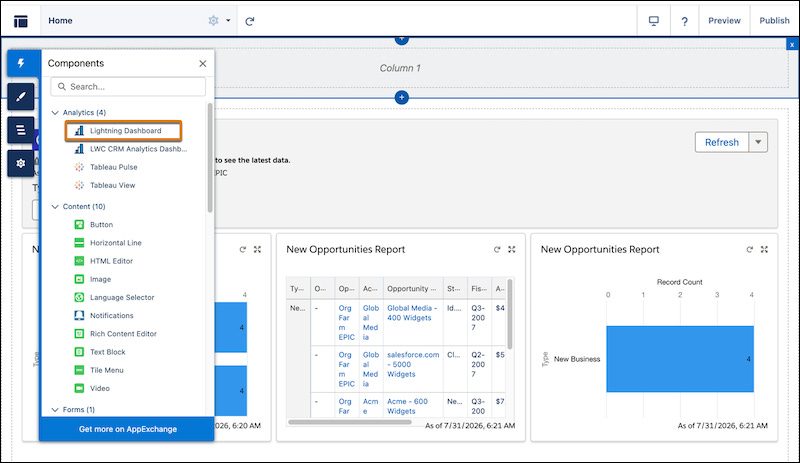
Embed Lightning Dashboards in Your Lightning Web Runtime Experience Cloud Sites (Beta)
Build charts and allow your donors, volunteers, partners, facilitators or any external user to view these charts through a portal or a community
Embed Lightning Reports in Your Lightning Web Runtime Experience Cloud Sites (Beta)
Similarly, you can add a particular report for your Portal users to view. This could be “My Donations”.